Rootstock viewer · four captures
Screenshot tour
Rootstock collects macOS security metadata, builds a graph in Neo4j, and shows the evidence in this viewer. These captures use a fictional dataset. The demo scans no host and connects to no database.
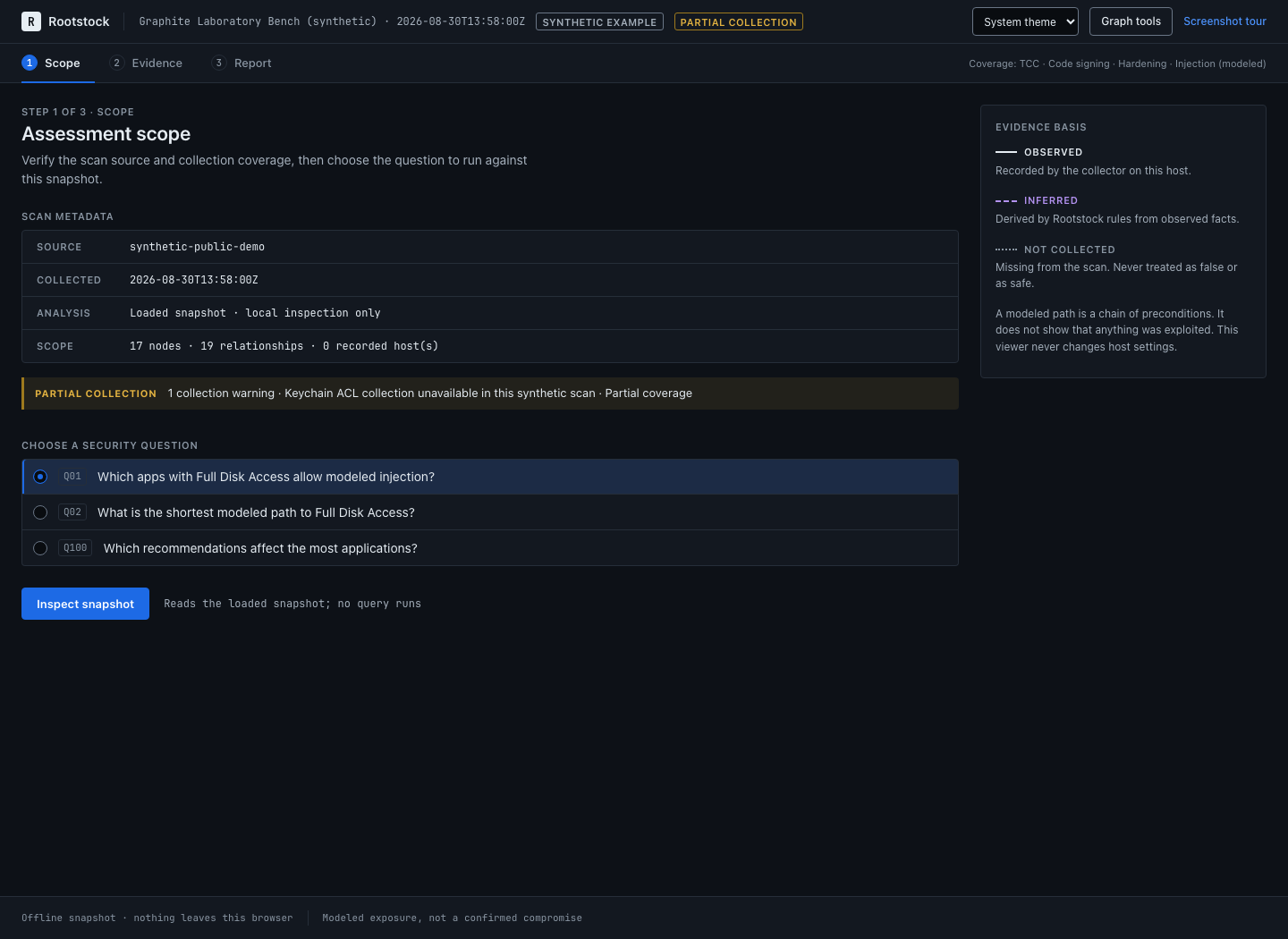
Step 1 of 4
Choose a question
Check the source and the collection warning, pick a security question, then select Inspect snapshot. The demo reads its bundled data in the browser.
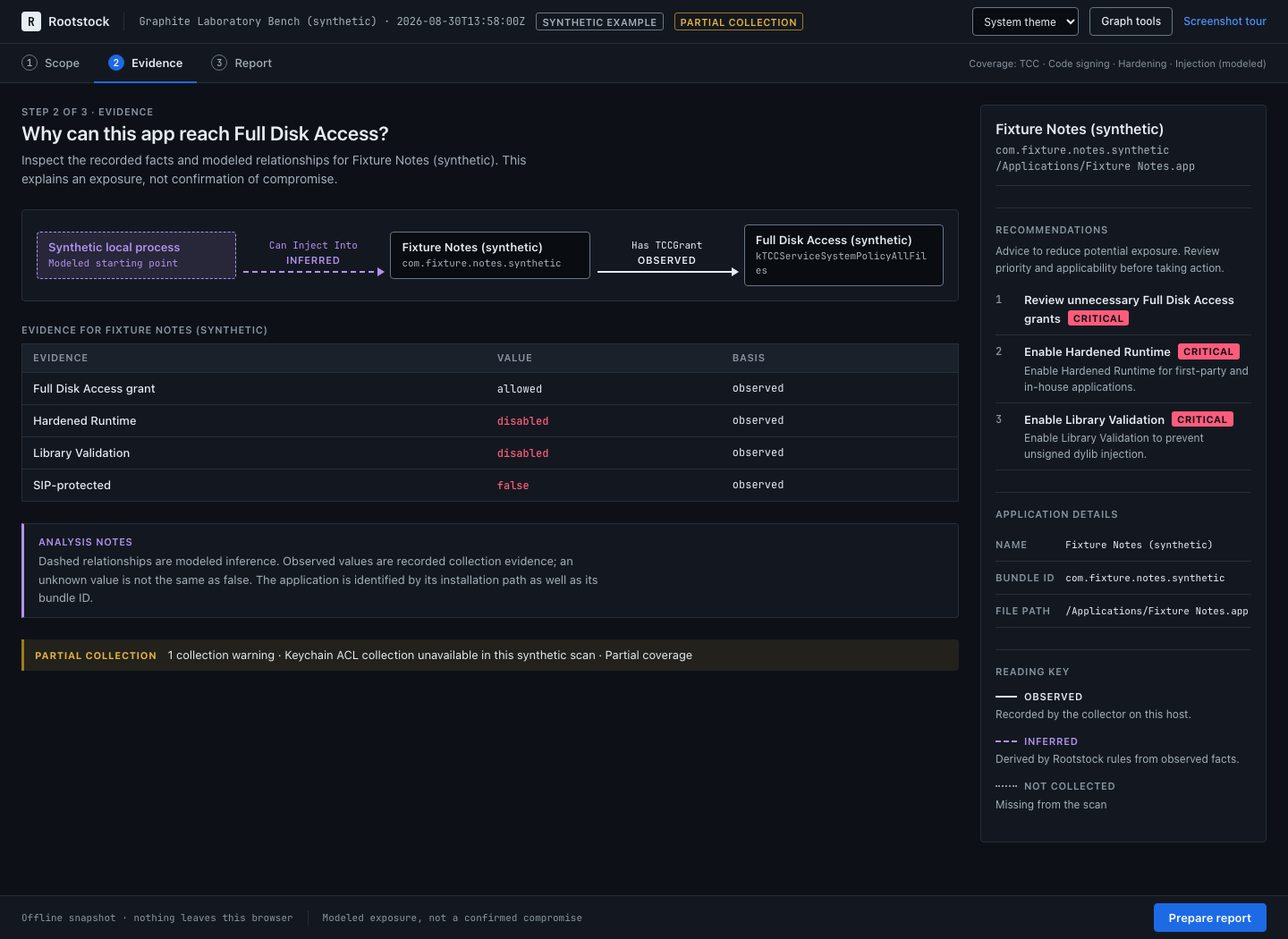
Step 2 of 4
Read the evidence
The modeled injection path leads to Fixture Notes and its recorded Full Disk Access grant. Recorded values and inferred relationships are marked separately, next to the recommendations.
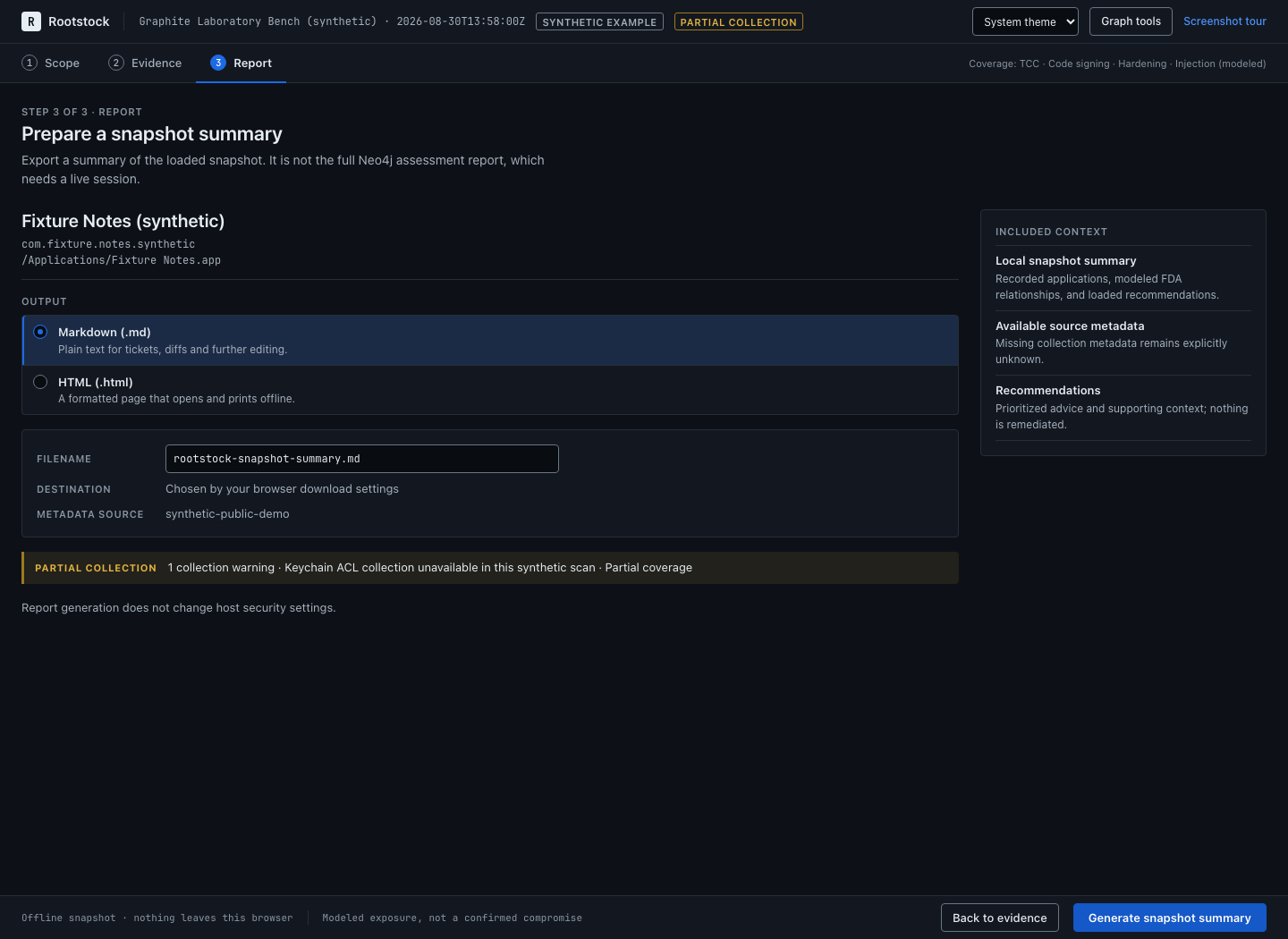
Step 3 of 4
Export a summary
Prepare report downloads a Markdown or HTML summary of the loaded snapshot. The full assessment report needs the local Neo4j workflow.
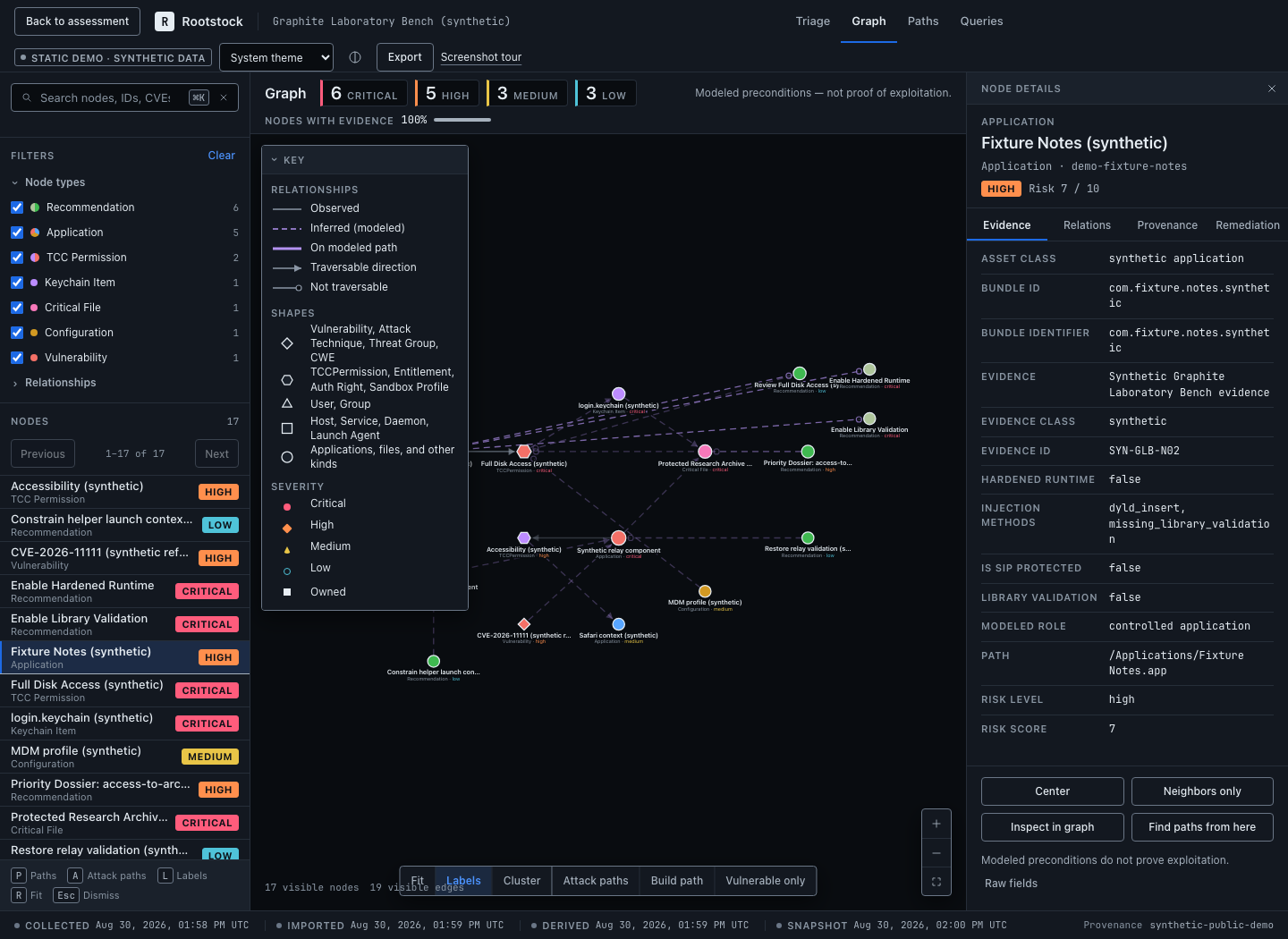
Step 4 of 4
Explore the graph
Graph tools opens triage, the graph, paths, and queries. Search or filter nodes, open its evidence, or trace a route between two endpoints. Saved Cypher queries need a live local session.